Autor: diegobittencourt

  • Curso de Oratória e Retórica: Um Mergulho na Arte da Persuasão

    Curso de Oratória e Retórica: Um Mergulho na Arte da Persuasão

    Autor: Mário Ferreira dos Santos

    Tônica:

    • Abordagem prática e completa: O livro oferece uma visão abrangente da oratória e da retórica, desde seus fundamentos até técnicas avançadas de comunicação persuasiva.
    • Aplicabilidade: As técnicas e ferramentas apresentadas são aplicáveis a diversas situações, desde apresentações de negócios até palestras e debates.
    • Riqueza de exemplos: O autor utiliza exemplos históricos e contemporâneos para ilustrar os conceitos, tornando o aprendizado mais dinâmico e envolvente.

    Conteúdo:

    • Parte 1: A Oratória:
      • Fundamentos: Conceito de oratória, história da oratória, perfil do orador ideal, elementos da comunicação eficaz.
      • Técnicas: Preparação da fala, organização do discurso, recursos vocais e corporais, controle do nervosismo.
      • Aplicação: Dicas para diferentes tipos de apresentações, como palestras, reuniões, entrevistas e debates.
    • Parte 2: A Retórica:
      • Fundamentos: Conceito de retórica, os três gêneros da oratória (deliberativo, judiciário e epidítico), os cinco cânones da retórica (inventio, dispositio, elocutio, memoria e actio).
      • Argumentação: Tipos de argumentos, falácias lógicas, estratégias de persuasão.
      • Eloquência: Figuras de linguagem, recursos estilísticos, ritmo e entonação da voz.

    Pontos fortes:

    • Clareza e objetividade: O livro é escrito em linguagem clara e acessível, facilitando a compreensão dos conceitos.
    • Exercícios práticos: Ao final de cada capítulo, o autor propõe exercícios para que o leitor possa colocar em prática o que aprendeu.
    • Visão holística da comunicação: O livro vai além das técnicas de oratória e retórica, abordando também aspectos como a inteligência emocional e a comunicação não verbal.

    Para quem é recomendado:

    • Profissionais: Pessoas que desejam aprimorar suas habilidades de comunicação em diferentes contextos profissionais.
    • Estudantes: Alunos de graduação e pós-graduação que buscam desenvolver suas habilidades oratórias para apresentações de trabalhos e seminários.
    • Público em geral: Qualquer pessoa que deseja se comunicar com mais clareza, segurança e persuasão.

    Em resumo, “Curso de Oratória e Retórica” é uma obra completa e valiosa para quem busca dominar a arte da comunicação persuasiva.

    Outros pontos importantes:

    • O livro é considerado um clássico na área de oratória e retórica.
    • A obra foi publicada pela primeira vez em 1954 e já passou por diversas reedições.
    • O autor, Mário Ferreira dos Santos, foi um escritor e professor brasileiro com vasta experiência em oratória e comunicação.

    Espero que este resumo tenha sido útil!
  • Protegido: Howdy, Agência Magna

    Este conteúdo está protegido por senha. Para vê-lo, digite sua senha abaixo.

  • Diferenças entre React e Next.js

    Diferenças entre React e Next.js

    Tanto o Next.js quanto o React são ferramentas poderosas para a construção de aplicativos da web, mas possuem diferenças distintas que atendem a necessidades diferentes. Aqui está um detalhamento:

    O que eles são:

    • React: uma biblioteca JavaScript para construir componentes de interfaces de usuário (UI). É leve e flexível, oferecendo blocos de construção para criar páginas da web dinâmicas e interativas.
    • Next.js: uma estrutura construída sobre React que adiciona recursos e estrutura ao processo de desenvolvimento. Ele oferece renderização no lado do servidor, roteamento, busca de dados e outras funcionalidades prontas para uso.

    Principais diferenças:

    FrameworkReactNext.js
    FocoConstruir componentes de UIConstruir aplicações web full-stack
    RenderizaçãoPrincipalmente renderização do lado do cliente (CSR)Renderização do lado do servidor (SSR), geração de site estático (SSG)
    RoteamentoConfiguração manual necessáriaRoteamento automático integrado
    Busca de dadosRequer bibliotecas ou códigos adicionaisBusca de dados integrada com rotas de API e getStaticProps
    FlexibilidadeAltamente flexível, requer mais configuraçãoMenos flexível, mas oferece desenvolvimento mais rápido e benefícios de SEO
    ComplexidadeBarreira de entrada inferiorCurva de aprendizado mais acentuada devido a recursos adicionais
    Adequado paraAplicativos web dinâmicos, aplicativos de página únicaSites estáticos, blogs, e-commerce, páginas de marketing

    Escolhendo a ferramenta certa:

    • React: se você precisa de flexibilidade e controle máximo sobre seus componentes de UI ou planeja construir um aplicativo web complexo e dinâmico com recursos exclusivos.
    • Next.js: se você priorizar desenvolvimento mais rápido, otimização de SEO, pré-renderização para desempenho e uma estrutura que lide com necessidades comuns de aplicativos da web, como roteamento e busca de dados.

    Pontos adicionais:

    • Você pode usar componentes React em aplicativos Next.js.
    • Next.js está em constante evolução, oferecendo novos recursos e melhorias.
    • Tanto React quanto Next.js têm comunidades grandes e ativas para suporte e aprendizado.

    Em última análise, a melhor escolha depende dos requisitos específicos do seu projeto e das suas preferências de desenvolvimento. Considere cuidadosamente os prós e os contras de cada opção antes de tomar sua decisão.

  • React vs Next.js

    Both Next.js and React are powerful tools for building web applications, but they have distinct differences that cater to different needs. Here’s a breakdown:

    What they are:

    • React: A JavaScript library for building user interfaces (UI) components. It’s lightweight and flexible, offering building blocks to create dynamic and interactive web pages.
    • Next.js: A framework built on top of React that adds features and structure to the development process. It offers server-side rendering, routing, data fetching, and other functionalities out-of-the-box.

    Key Differences:

    [table id=2 /]

    Choosing the right tool:

    • React: If you need maximum flexibility and control over your UI components, or plan to build a complex, dynamic web application with unique features.
    • Next.js: If you prioritize faster development, SEO optimization, pre-rendering for performance, and a framework that handles common web application needs like routing and data fetching.

    Additional points:

    • You can use React components within Next.js applications.
    • Next.js is constantly evolving, offering new features and improvements.
    • Both React and Next.js have large and active communities for support and learning.

    Ultimately, the best choice depends on your specific project requirements and your development preferences. Consider the pros and cons of each option carefully before making your decision.

  • Differences between COBIT, ISO 27001 and NIST

    Differences between COBIT, ISO 27001 and NIST

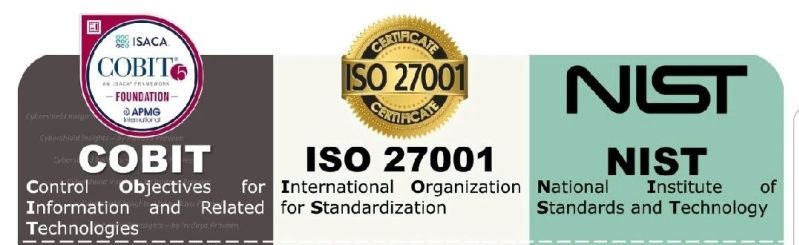
    The main differences between COBIT, ISO 27001, and NIST are as follows:

    Focus and Core Area:

    • COBIT: Focuses on IT governance and management, providing a comprehensive framework for the effective control and management of IT processes.
    • ISO 27001: Focuses on information security management, providing a systematic approach to managing information security risks and implementing an Information Security Management System (ISMS).
    • NIST: Focuses on enhancing the security and resilience of information systems, providing guidance and standards for managing cybersecurity risks.

    Source and Application:

    • COBIT: Developed by ISACA and widely used in large enterprises to ensure effective governance and management of IT.
    • ISO 27001: Developed by the International Organization for Standardization (ISO) and widely used across various sectors and sizes to implement and manage an Information Security Management System.
    • NIST: Developed by the National Institute of Standards and Technology (NIST) and primarily used in the United States as a framework for enhancing the security and resilience of information systems. However, it has gained widespread acceptance and international implementation as well.

    Geographic Orientation:

    • COBIT and ISO 27001: These are international frameworks and are globally recognized. They can be used in any country or industry.
    • NIST: It is primarily an American framework and used mainly in the United States. However, it has also gained broad acceptance and international application.

    Scope and Detail:

    • COBIT: Provides a comprehensive framework for IT governance and management, encompassing a wide range of processes, controls, and guidelines.
    • ISO 27001: Primarily focuses on information security management and provides a set of effective security requirements and controls.
    • NIST: Offers a comprehensive set of guidelines and standards for improving the security and resilience of information systems, including a catalog of recommended security controls.

    In summary, COBIT focuses on IT governance and management, ISO 27001 focuses on information security management, and NIST focuses on enhancing the security and resilience of information systems.

  • Discover WP-CLI for creating and maintaining WordPress websites

    Imagine managing your WordPress site without ever touching the admin panel. That’s the power of WP-CLI, a command-line interface that lets you control your website directly from your terminal. Think of it as a Swiss Army knife for WordPress power users, letting you do everything from installing plugins and themes to updating your core software and managing user accounts, all with simple text commands.

    Here are some of the things you can do with WP-CLI:

    • Automate tasks: Run repetitive tasks like backups, updates, and database optimization with a single command, freeing up your time for more important things.
    • Manage your site from anywhere: No need to be in front of a specific computer to manage your site. Access WP-CLI from any machine with a terminal and an internet connection.
    • Increase efficiency: Typing commands is often faster than clicking through menus, especially for frequent tasks.
    • Reduce errors: Command-line commands are less prone to human error than clicking around the admin panel.
    • Extend WordPress functionality: WP-CLI has a vibrant community that develops plugins and extensions, adding even more capabilities to the tool.

    Whether you’re a developer, a sysadmin, or just a power user who wants to take control of your WordPress site, WP-CLI is a valuable tool to have in your arsenal.

    If you’re interested in learning more about WP-CLI, check out the official website: https://wp-cli.org/

    And if you’re a cPanel Admin, you may be interested in how to install it even in a shared hosting without root nor sudo access.

    I hope this helps! Let me know if you have any other questions.

  • A Web Duradoura: Como o W3C moldou a última década e além

    A Web Duradoura: Como o W3C moldou a última década e além

    A World Wide Web, essa extensa tapeçaria de informação e interação, raramente é uma entidade estática. Na última década, ela deixou de ser uma curiosidade ligada ao desktop para se transformar em um cenário interativo e voltado para dispositivos móveis. No centro desta evolução está o World Wide Web Consortium (W3C), uma força silenciosa e colaborativa que molda os próprios alicerces da web.

    Dos Pixels à Acessibilidade: A década de 2010 viu o HTML5 emergir como o novo padrão, abrindo caminho para experiências multimídia mais ricas e aplicações web interativas. Canvas, WebGL e Web Audio desbloquearam o potencial criativo da web, permitindo jogos envolventes, gráficos 3D e animações cativantes. Mas o foco do W3C não estava apenas nos sinos e assobios. Padrões de acessibilidade como WCAG 2.1 garantiram que os sites pudessem ser usados por todos, independentemente da habilidade. Esta abordagem inclusiva lançou as bases para um ambiente online mais equitativo e acessível.

    A ascensão do celular: à medida que os smartphones se tornaram onipresentes, o W3C se adaptou. Os princípios de design responsivo consagraram a adaptabilidade da web, garantindo que os sites tivessem uma aparência e funcionassem perfeitamente em diferentes tamanhos de tela. AMP, uma estrutura para carregamento rápido de páginas móveis, atendeu à necessidade de acesso instantâneo a informações em qualquer lugar. Essas inovações capacitaram os usuários móveis, tornando a web uma plataforma verdadeiramente acessível e conveniente para todos.

    Além do navegador: a influência do W3C vai muito além das páginas da web. WebRTC, um protocolo de comunicação em tempo real, revolucionou a colaboração online, permitindo videoconferências e comunicação ponto a ponto diretamente no navegador. Tecnologias descentralizadas, como WebAssembly e Service Workers, capacitaram os desenvolvedores a criar aplicativos da Web poderosos e com capacidade off-line, confundindo os limites entre os aplicativos da Web e os aplicativos nativos.

    O Futuro, Tecido em Código: Ao entrarmos na próxima década, o trabalho do W3C continua. O WebXR promete experiências imersivas além das telas, enquanto o WebGPU libera o poder das unidades de processamento gráfico para visuais impressionantes. As preocupações com privacidade e segurança são abordadas com iniciativas como o Privacy Sandbox, garantindo uma web mais segura e controlada pelo usuário.

    Os heróis desconhecidos: o impacto do W3C raramente é atribuído a uma única entidade. É um esforço colaborativo conduzido por inúmeras pessoas: desenvolvedores apaixonados, pesquisadores dedicados e empresas com visão de futuro. Seu trabalho, entrelaçado na própria estrutura da teia, garante que ela permaneça aberta, acessível e em constante evolução.

    A influência do W3C na web na última década foi profunda. Não só moldou a forma como interagimos com a informação, mas também incutiu princípios de acessibilidade, inovação e colaboração. À medida que a Web continua a sua jornada rumo ao futuro, uma coisa é certa: o W3C continuará a ser uma força orientadora, tecendo os fios da tecnologia numa tapeçaria de possibilidades infinitas.

  • Instalando WP-CLI em uma hospedagem compartilhada cPanel

    Instalando WP-CLI em uma hospedagem compartilhada cPanel

    Se você possui acesso de nível raiz ao seu servidor, é recomendável seguir este guia para instalar o WP CLI em seu servidor WHM/cPanel: https://blog.cpanel.com/wp-cli-install-and-manage-wordpress-on-the-command-line/.

    No entanto, se você não tiver acesso à conta root ou não conseguir executar o sudo, mas ainda tiver acesso de nível de usuário ao terminal (como no terminal cPanel), você ainda poderá instalar e usar o wp-cli.

    cd /home/USERNAME/public_html/
    curl -O https://raw.githubusercontent.com/wp-cli/builds/gh-pages/phar/wp-cli.phar

    chmod +x wp-cli.phar

    /home/USERNAME/public_html/wp-cli.phar config list

    Claro, substitua USERNAME pelo seu. Comente abaixo se tiver alguma dúvida, talvez possa ser solucionado.

  • Bridging the Gap: When UX/UI Design Misses the Mark on W3C Guidelines

    The quest for a seamless, intuitive user experience (UX) and visually captivating user interface (UI) is at the heart of every successful website or app. However, in the pursuit of these goals, the UX/UI design market often stumbles upon a crucial hurdle – misinterpreting or neglecting the real usability and accessibility guidelines set forth by the World Wide Web Consortium (W3C). This disconnect can have dire consequences, excluding users with disabilities and hindering overall user experience.

    Common Misunderstandings:

    • Confusing WCAG Compliance with Accessibility Checklists: Accessibility isn’t a checkbox exercise. While WCAG (Web Content Accessibility Guidelines) provide a valuable framework, simply ticking off its requirements doesn’t guarantee a truly accessible experience. Designers need to understand the underlying principles of accessibility and how they translate into real-world user interactions.
    • Prioritizing Aesthetics over Usability: Striking visuals can certainly enhance user engagement, but not at the cost of usability. Overly complex layouts, non-intuitive navigation, and illegible text can alienate users and render the website unusable for many. Remember, form should always follow function.
    • Neglecting Assistive Technologies: Many users rely on assistive technologies like screen readers and keyboard navigation. Designers must ensure their creations are compatible with these tools, allowing users with disabilities to navigate and interact with the content effectively.

    Bridging the Gap:

    • Education and Awareness: The UX/UI design community needs to prioritize education and awareness about W3C guidelines and best practices for accessibility. Workshops, online resources, and collaborative initiatives can foster a deeper understanding of these principles.
    • Empathy-Driven Design: Design thinking that goes beyond aesthetics and considers the diverse needs of all users is crucial. Personas, user testing with assistive technologies, and accessibility audits can help designers identify and address potential usability and accessibility barriers.
    • Accessibility Tools and Integrations: Integrating accessibility tools and plugins into design workflows can streamline the process of creating inclusive experiences. Automated checks, color contrast checkers, and keyboard navigation testing tools can provide valuable feedback throughout the design process.

    Benefits of Getting It Right:

    Implementing W3C guidelines and prioritizing accessibility isn’t just about compliance; it’s about good design. A website or app that is truly usable and accessible benefits everyone:

    • Increased Reach: A wider audience, including users with disabilities, can access and engage with your content.
    • Enhanced SEO: Search engines prioritize websites that meet accessibility standards, boosting your online visibility.
    • Improved User Experience: A website that’s easy to navigate and understand for everyone leads to higher user satisfaction and loyalty.

    Moving Forward:

    The UX/UI design market has the power to create not just beautiful interfaces but truly inclusive experiences for all users. By bridging the gap between design aesthetics and W3C guidelines, we can ensure that the web remains a platform for everyone, fostering a more equitable and user-friendly digital world.

    Remember: Accessibility isn’t just a technical checkbox; it’s about empathy, inclusivity, and creating a web that works for everyone. Let’s all work together to make the web a truly universal space.

    Additional Resources:

    Let’s keep the conversation going! Share your thoughts and experiences on how to bridge the gap between UX/UI design and W3C accessibility guidelines in the comments below.

  • The Enduring Web: How W3C Shaped the Last Decade and Beyond

    The Enduring Web: How W3C Shaped the Last Decade and Beyond

    The World Wide Web, that sprawling tapestry of information and interaction, is rarely a static entity. Over the past decade, it has transformed from a desktop-bound curiosity to a mobile-first, interactive landscape. At the heart of this evolution lies the World Wide Web Consortium (W3C), a quiet, collaborative force shaping the web’s very foundation.

    From Pixels to Accessibility: The 2010s saw HTML5 emerge as the new standard, paving the way for richer multimedia experiences and interactive web applications. Canvas, WebGL, and Web Audio unlocked the web’s creative potential, allowing for immersive games, 3D graphics, and captivating animations. But W3C’s focus wasn’t solely on bells and whistles. Accessibility standards like WCAG 2.1 ensured websites were usable by everyone, regardless of ability. This inclusive approach laid the groundwork for a more equitable and accessible online environment.

    The Rise of Mobile: As smartphones became ubiquitous, W3C adapted. Responsive design principles enshrined the web’s adaptability, ensuring websites looked and functioned flawlessly across different screen sizes. AMP, a framework for fast-loading mobile pages, addressed the need for instant information access on the go. These innovations empowered mobile users, making the web a truly accessible and convenient platform for everyone.

    Beyond the Browser: W3C’s influence extends far beyond web pages. WebRTC, a real-time communication protocol, revolutionized online collaboration, enabling video conferencing and peer-to-peer communication directly within the browser. Decentralized technologies like WebAssembly and Service Workers empowered developers to build powerful, offline-capable web applications, blurring the lines between web and native apps.

    The Future, Woven in Code: As we enter the next decade, W3C’s work continues. WebXR promises immersive experiences beyond screens, while WebGPU unlocks the power of graphics processing units for stunning visuals. Privacy and security concerns are tackled with initiatives like Privacy Sandbox, ensuring a safer and more user-controlled web.

    The Unsung Heroes: W3C’s impact is rarely attributed to a single entity. It’s a collaborative effort driven by countless individuals: passionate developers, dedicated researchers, and forward-thinking companies. Their work, woven into the very fabric of the web, ensures that it remains open, accessible, and ever-evolving.

    In conclusion, the W3C’s influence on the web over the past decade has been profound. It has not only shaped the way we interact with information but also instilled principles of accessibility, innovation, and collaboration. As the web continues its journey into the future, one thing is certain: the W3C will remain a guiding force, weaving the threads of technology into a tapestry of endless possibilities.