Categoria: Sem categoria

  • Creating a GDPR, LGPD-ready banner consent for WordPress

    Creating a GDPR, LGPD-ready banner consent for WordPress

    Let’s create a custom LGPD and GDPR consent banner directly in your Theme or Child Theme. Here’s a step-by-step guide:

    1. Create a New PHP File: In your (child) theme folder, create a new PHP file named consent-banner.php.
    2. Add the Banner HTML: Open the consent-banner.php file and add the HTML for the consent banner. Here’s a basic example:

    PHP

    <?php
    if ( ! defined( 'ABSPATH' ) ) {
        exit; // Exit if accessed directly
    }
    ?>
    <div id="consent-banner" style="position: fixed; bottom: 0; width: 100%; background-color: #f8f9fa; text-align: center; padding: 10px; box-shadow: 0 -2px 5px rgba(0,0,0,0.1);">
        <p>This website uses cookies to ensure you get the best experience on our website. By continuing to browse the site, you agree to our use of cookies.</p>
        <button id="accept-cookies" style="margin-left: 10px;">Accept</button>
        <button id="decline-cookies" style="margin-left: 10px;">Decline</button>
    </div>
    <script>
    document.getElementById('accept-cookies').onclick = function() {
        document.getElementById('consent-banner').style.display = 'none';
        document.cookie = "consent=true; max-age=31536000; path=/";
    };
    document.getElementById('decline-cookies').onclick = function() {
        document.getElementById('consent-banner').style.display = 'none';
        document.cookie = "consent=false; max-age=31536000; path=/";
    };
    </script>
    1. Enqueue the Script: In your child theme’s functions.php file, enqueue the JavaScript file to ensure it loads correctly:

    php

    <?php
    add_action( 'wp_enqueue_scripts', 'enqueue_consent_banner_script' );
    function enqueue_consent_banner_script() {
        wp_enqueue_script( 'consent-banner-script', get_stylesheet_directory_uri() . '/consent-banner.php', array(), '1.0.0', true );
    }
    ?>
    
    1. Add the Banner to Your Theme: To display the banner on your site, you can add the following code to your theme’s functions.php, or even the header or footer template. We can use Polylang’s functions to determine the current language and display the appropriate banner content accordingly.
    2. Detect the Current Language: We’ll use Polylang functions to detect the current language and display the correct banner content based on the language setting.
    3. Update the Banner Content: Modify the display_consent_banner function to include different texts for English (EN), Spanish (ES), and Portuguese (PT).

    Here’s the updated code for your functions.php file:

    php

    <?php
    // Function to output the consent banner HTML and JavaScript based on the current language
    function display_consent_banner() {
        // Check if the consent cookie is not set or if it's not 'true'
        if ( ! isset( $_COOKIE['consent'] ) || $_COOKIE['consent'] !== 'true' ) {
            // Get the current language using Polylang
            $current_lang = pll_current_language();
    
            // Set the banner content based on the current language
            $banner_text = '';
            $accept_text = '';
            $decline_text = '';
    
            if ( $current_lang == 'en' ) {
                $banner_text = 'This website uses cookies to ensure you get the best experience on our website. By continuing to browse the site, you agree to our use of cookies.';
                $accept_text = 'Accept';
                $decline_text = 'Decline';
            } elseif ( $current_lang == 'es' ) {
                $banner_text = 'Este sitio web utiliza cookies para garantizar que obtenga la mejor experiencia en nuestro sitio web. Al continuar navegando por el sitio, acepta nuestro uso de cookies.';
                $accept_text = 'Aceptar';
                $decline_text = 'Rechazar';
            } else {
                // Default to Portuguese (PT)
                $banner_text = 'Este site usa cookies para garantir que você obtenha a melhor experiência em nosso site. Ao continuar a navegar no site, você concorda com o nosso uso de cookies.';
                $accept_text = 'Aceitar';
                $decline_text = 'Recusar';
            }
    
            // Output the banner HTML and JavaScript
            ?>
            <div id="consent-banner" style="position: fixed; bottom: 0; width: 100%; background-color: #f8f9fa; text-align: center; padding: 10px; box-shadow: 0 -2px 5px rgba(0,0,0,0.1);">
                <p><?php echo $banner_text; ?></p>
                <button id="accept-cookies" style="margin-left: 10px;"><?php echo $accept_text; ?></button>
                <button id="decline-cookies" style="margin-left: 10px;"><?php echo $decline_text; ?></button>
            </div>
            <script>
            document.getElementById('accept-cookies').onclick = function() {
                document.getElementById('consent-banner').style.display = 'none';
                document.cookie = "consent=true; max-age=31536000; path=/";
            };
            document.getElementById('decline-cookies').onclick = function() {
                document.getElementById('consent-banner').style.display = 'none';
                document.cookie = "consent=false; max-age=31536000; path=/";
            };
            </script>
            <?php
        }
    }
    
    // Hook the function to 'wp_footer' action
    add_action( 'wp_footer', 'display_consent_banner' );
    ?>
    

    This code will display the appropriate banner text based on Polylang‘s current language settings. If the language is set to English (en), it will display the text in English. If the language is set to Spanish (es), it will display the text in Spanish. For any other language (including Portuguese), it will default to displaying the text in Portuguese.

    Test the Banner: Visit your site and check if the banner appears correctly. Test the accept and decline buttons to ensure they work as expected.

    Banner do gov.br sobre a LGPD, Lei Geral de Proteção de Dados
    Banner do gov.br sobre a LGPD
  • About Us

    About Us

    Our goal is to provide web development solutions and position businesses in digital environments. Focused on results, our solutions encompass a multidisciplinary approach, mainly related to Web Development, SEO, and Digital Marketing, inviting entrepreneurs to effectively access this knowledge, whether through our services and consulting, or through articles and rich content on our website.

    Mission

    To promote a real practice of entrepreneurship in Brazilian society, especially among individual microentrepreneurs – MEIs –, through the services offered for development, branding, and promotion, in addition to personalized consulting regarding the performance of these businesses.

    Vision

    In a decade, to promote the most significant success stories in Brazilian society, especially among entrepreneurs who started working with us while still individual microentrepreneurs. Although they are not exclusive, microentrepreneurs are our main focus because achievements such as financial freedom and overcoming the limiting conditions of informality in the economy begin precisely at this stage.

    We are not interested in exorbitant revenues and shallow fads created by influencers and irresponsible advertising about what entrepreneurship is. Our goal is to transform the lives of individuals who generate real value for their clients and have a strong sense of purpose. Our entrepreneurial practice is grounded and has a notably social bias, so our sense of results is deep, reflective and constantly self-critical.

    Values

    Loyalty, transparency and discipline are the values ​​that guide the Perspectiva Empreendedora brand.

  • Perspectiva’s portfolio services now is free to #opentowork

    I decided to offer Perspectiva‘s portfolio of services for free – Web Development, Branding, SEO & SEM, Social Media and Community Management, among others – to people who are hashtagged #opentowork here on LinkedIn. It doesn’t even need to have the seal, as long as they are really hashtagged #opentowork and are interested. For some time I resisted offering it, assuming that what is offered has no value whatsoever, and in many cases, that is the reality. If, for example, you price an ebook on Marketing at BRL 9.90, there will be people who have the nerve to say that it is expensive. If you make it available for free with the aim of helping, they value it much less than if they had paid for it, they question the professional level of the content, etc. It is human nature, but having an attitude is better than not trying, and remember, you will never be criticized by someone who is doing more than you.

    After all, I’m not offering free services to HRs and Managers of large companies who can and should pay, but rather to people who are looking for opportunities and genuine connections. Those who are not hashtag #CEO heirs and do not have an easy and questionable network. I can identify so many HRs and Managers who are only advertising opportunities here to convert to their brand, not giving any chance to the right people, that I decided to do something. Although I have never worked specifically only in HR, my background in Business Management combined with experience in agile teams enables me to work in HR in a broad way and to manage it. It is worth remembering that HR duties are related to Project Manager positions, so I can also offer the services mentioned to hashtag #opentowork applied to HR objectives, strategically positioning them for opportunities.

    Ever since I acquired clients such as CANTA, Smiles, PETRONAS (the agency probably doesn’t remember which project I worked on, but I do 😁), Input Center group and its 30+ internal and external clients, investing in domain, server and portfolio, this put food on my table and financial freedom, which I started to ignore and in a way even bothered some HR and Managers who look at the experience time of the portfolio and don’t validate it. I understood and finally believed with confidence that those who pretend to be blind to their work end up becoming truly blind, you don’t need to do anything against the person, just keep doing the right thing, efficiency. Note that when I acquired Canta I didn’t even have a paid server, Perspectiva started with a .info domain on Google’s Blogger and stayed in the great PHP InfinityFree classic for some time.

    If you have the goal of relocating and especially structuring yourself as a PJ, you are a natural open-worker, call to exchange ideas on any channel.

  • Design Thinking: A Human-Centered Approach to Innovation

    Design Thinking: A Human-Centered Approach to Innovation

    Design Thinking: A Human-Centered Approach to Innovation

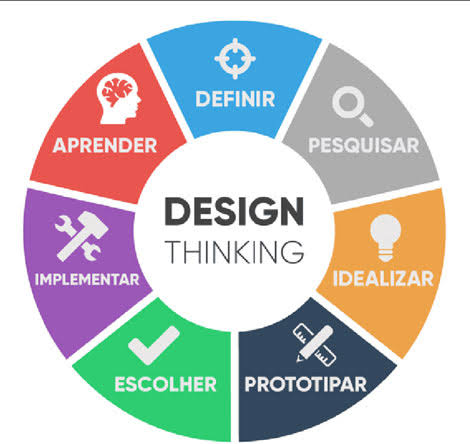
    Design thinking is a creative problem-solving process that focuses on understanding people’s needs. It’s a way to come up with innovative solutions by thinking from the user’s perspective.

    Imagine it like a toolbox with empathy, creativity, and experimentation to solve problems in new ways. That’s the essence of Design Thinking, a powerful approach to innovation that is changing the way businesses operate. It’s not just about creating fancy products or sleek designs; it’s about understanding the core needs of people and crafting solutions that truly make a difference.

    Design thinking goes beyond traditional problem-solving methods. It throws out the rigid rulebook and embraces a more iterative and user-centric approach. Here’s how it works:

    • Empathy is at the Heart: The process starts by developing a deep understanding of the people you’re designing for. This involves user research, observation, and even co-creation sessions to uncover their needs, desires, and pain points.
    • Unleashing Creativity: Once you understand the user, it’s time to brainstorm a wide range of solutions. Design thinking encourages wild ideas and out-of-the-box thinking. The goal is to generate as many possibilities as possible without judgment.
    • Prototyping and Testing: Forget grand plans and lengthy development cycles. Design thinking emphasizes creating quick and low-fidelity prototypes – think sketches, mockups, or even role-playing – to test your ideas with real users. This allows you to gather feedback early and iterate on your designs before investing heavily in development.
    • Embrace Iteration: Design thinking is not a linear process. It’s a continuous loop of learning, testing, and refining. Based on user feedback, you’ll constantly improve your ideas until you land on a solution that truly meets their needs.

    This human-centered approach is what makes design thinking so powerful. By prioritizing empathy and understanding the people you’re designing for, you’re more likely to create solutions that are not only innovative but also truly impactful.

    Design thinking can be applied to a wide range of challenges, from developing new products and services to revamping internal processes and improving customer experiences. So, the next time you’re facing a complex problem, ditch the traditional methods and embrace the power of design thinking. You might just surprise yourself with the innovative solutions you can uncover.

  • React vs Next.js

    Both Next.js and React are powerful tools for building web applications, but they have distinct differences that cater to different needs. Here’s a breakdown:

    What they are:

    • React: A JavaScript library for building user interfaces (UI) components. It’s lightweight and flexible, offering building blocks to create dynamic and interactive web pages.
    • Next.js: A framework built on top of React that adds features and structure to the development process. It offers server-side rendering, routing, data fetching, and other functionalities out-of-the-box.

    Key Differences:

    [table id=2 /]

    Choosing the right tool:

    • React: If you need maximum flexibility and control over your UI components, or plan to build a complex, dynamic web application with unique features.
    • Next.js: If you prioritize faster development, SEO optimization, pre-rendering for performance, and a framework that handles common web application needs like routing and data fetching.

    Additional points:

    • You can use React components within Next.js applications.
    • Next.js is constantly evolving, offering new features and improvements.
    • Both React and Next.js have large and active communities for support and learning.

    Ultimately, the best choice depends on your specific project requirements and your development preferences. Consider the pros and cons of each option carefully before making your decision.

  • Differences between COBIT, ISO 27001 and NIST

    Differences between COBIT, ISO 27001 and NIST

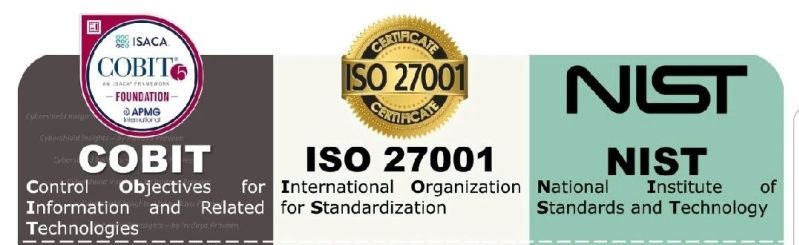
    The main differences between COBIT, ISO 27001, and NIST are as follows:

    Focus and Core Area:

    • COBIT: Focuses on IT governance and management, providing a comprehensive framework for the effective control and management of IT processes.
    • ISO 27001: Focuses on information security management, providing a systematic approach to managing information security risks and implementing an Information Security Management System (ISMS).
    • NIST: Focuses on enhancing the security and resilience of information systems, providing guidance and standards for managing cybersecurity risks.

    Source and Application:

    • COBIT: Developed by ISACA and widely used in large enterprises to ensure effective governance and management of IT.
    • ISO 27001: Developed by the International Organization for Standardization (ISO) and widely used across various sectors and sizes to implement and manage an Information Security Management System.
    • NIST: Developed by the National Institute of Standards and Technology (NIST) and primarily used in the United States as a framework for enhancing the security and resilience of information systems. However, it has gained widespread acceptance and international implementation as well.

    Geographic Orientation:

    • COBIT and ISO 27001: These are international frameworks and are globally recognized. They can be used in any country or industry.
    • NIST: It is primarily an American framework and used mainly in the United States. However, it has also gained broad acceptance and international application.

    Scope and Detail:

    • COBIT: Provides a comprehensive framework for IT governance and management, encompassing a wide range of processes, controls, and guidelines.
    • ISO 27001: Primarily focuses on information security management and provides a set of effective security requirements and controls.
    • NIST: Offers a comprehensive set of guidelines and standards for improving the security and resilience of information systems, including a catalog of recommended security controls.

    In summary, COBIT focuses on IT governance and management, ISO 27001 focuses on information security management, and NIST focuses on enhancing the security and resilience of information systems.

  • Discover WP-CLI for creating and maintaining WordPress websites

    Imagine managing your WordPress site without ever touching the admin panel. That’s the power of WP-CLI, a command-line interface that lets you control your website directly from your terminal. Think of it as a Swiss Army knife for WordPress power users, letting you do everything from installing plugins and themes to updating your core software and managing user accounts, all with simple text commands.

    Here are some of the things you can do with WP-CLI:

    • Automate tasks: Run repetitive tasks like backups, updates, and database optimization with a single command, freeing up your time for more important things.
    • Manage your site from anywhere: No need to be in front of a specific computer to manage your site. Access WP-CLI from any machine with a terminal and an internet connection.
    • Increase efficiency: Typing commands is often faster than clicking through menus, especially for frequent tasks.
    • Reduce errors: Command-line commands are less prone to human error than clicking around the admin panel.
    • Extend WordPress functionality: WP-CLI has a vibrant community that develops plugins and extensions, adding even more capabilities to the tool.

    Whether you’re a developer, a sysadmin, or just a power user who wants to take control of your WordPress site, WP-CLI is a valuable tool to have in your arsenal.

    If you’re interested in learning more about WP-CLI, check out the official website: https://wp-cli.org/

    And if you’re a cPanel Admin, you may be interested in how to install it even in a shared hosting without root nor sudo access.

    I hope this helps! Let me know if you have any other questions.

  • Bridging the Gap: When UX/UI Design Misses the Mark on W3C Guidelines

    The quest for a seamless, intuitive user experience (UX) and visually captivating user interface (UI) is at the heart of every successful website or app. However, in the pursuit of these goals, the UX/UI design market often stumbles upon a crucial hurdle – misinterpreting or neglecting the real usability and accessibility guidelines set forth by the World Wide Web Consortium (W3C). This disconnect can have dire consequences, excluding users with disabilities and hindering overall user experience.

    Common Misunderstandings:

    • Confusing WCAG Compliance with Accessibility Checklists: Accessibility isn’t a checkbox exercise. While WCAG (Web Content Accessibility Guidelines) provide a valuable framework, simply ticking off its requirements doesn’t guarantee a truly accessible experience. Designers need to understand the underlying principles of accessibility and how they translate into real-world user interactions.
    • Prioritizing Aesthetics over Usability: Striking visuals can certainly enhance user engagement, but not at the cost of usability. Overly complex layouts, non-intuitive navigation, and illegible text can alienate users and render the website unusable for many. Remember, form should always follow function.
    • Neglecting Assistive Technologies: Many users rely on assistive technologies like screen readers and keyboard navigation. Designers must ensure their creations are compatible with these tools, allowing users with disabilities to navigate and interact with the content effectively.

    Bridging the Gap:

    • Education and Awareness: The UX/UI design community needs to prioritize education and awareness about W3C guidelines and best practices for accessibility. Workshops, online resources, and collaborative initiatives can foster a deeper understanding of these principles.
    • Empathy-Driven Design: Design thinking that goes beyond aesthetics and considers the diverse needs of all users is crucial. Personas, user testing with assistive technologies, and accessibility audits can help designers identify and address potential usability and accessibility barriers.
    • Accessibility Tools and Integrations: Integrating accessibility tools and plugins into design workflows can streamline the process of creating inclusive experiences. Automated checks, color contrast checkers, and keyboard navigation testing tools can provide valuable feedback throughout the design process.

    Benefits of Getting It Right:

    Implementing W3C guidelines and prioritizing accessibility isn’t just about compliance; it’s about good design. A website or app that is truly usable and accessible benefits everyone:

    • Increased Reach: A wider audience, including users with disabilities, can access and engage with your content.
    • Enhanced SEO: Search engines prioritize websites that meet accessibility standards, boosting your online visibility.
    • Improved User Experience: A website that’s easy to navigate and understand for everyone leads to higher user satisfaction and loyalty.

    Moving Forward:

    The UX/UI design market has the power to create not just beautiful interfaces but truly inclusive experiences for all users. By bridging the gap between design aesthetics and W3C guidelines, we can ensure that the web remains a platform for everyone, fostering a more equitable and user-friendly digital world.

    Remember: Accessibility isn’t just a technical checkbox; it’s about empathy, inclusivity, and creating a web that works for everyone. Let’s all work together to make the web a truly universal space.

    Additional Resources:

    Let’s keep the conversation going! Share your thoughts and experiences on how to bridge the gap between UX/UI design and W3C accessibility guidelines in the comments below.

  • Installing WP-CLI on a cPanel shared hosting

    Installing WP-CLI on a cPanel shared hosting

    If you possess root-level access to your server, it is recommended that you follow this guide to install WP CLI on your WHM/cPanel server: https://blog.cpanel.com/wp-cli-install-and-manage-wordpress-on-the-command-line/.

    However, if you lack access to the root account or aren’t able to run sudo, but still have user-level access to the terminal (such as from the cPanel terminal), you can still install and use wp-cli.

    cd /home/USERNAME/public_html/
    curl -O https://raw.githubusercontent.com/wp-cli/builds/gh-pages/phar/wp-cli.phar

    chmod +x wp-cli.phar

    /home/USERNAME/public_html/wp-cli.phar config list

    Of course, replace USERNAME to yours.